

Introduction to Laptop Prices
Before diving into numbers, it helps to understand why laptops vary so much in price. Here are the main factors:
Processor (CPU)
The actual brain of your laptop is the CPU, so entry-level laptops typically contain either an Intel Celeron or an AMD Athlon chip, while mid-range and higher-end models utilize either Intel Core i5 / i7 chips or AMD Ryzen 5 / 7 chips. Apple’s M series chips (M3, M4) are considered to have great performance and efficiency levels. The better the CPU, the more you will pay.
RAM and Storage
Many users today find that 8 GB of RAM is their ideal RAM size. Laptops that have 16 GB or more of RAM will be targeted toward professional and advanced users (power users). The need for speed is driving the market for computer storage; traditional HDDs will be replaced by more expensive SSDs (solid state disks) due to the fact that there’s usually a price increase in going from 512 GB SSDs, which is most common in mid-range computers.
Display Quality
Devices with a full high definition (1080p) screen are widely available in all price ranges; however, premium devices will generally offer either 2k to 4k OLED displays and a high refresh rate (120Hz+), so they have a much higher price point.
Build Quality and Design
Metal-bodied laptops (aluminium or magnesium alloy) cost more than plastic ones. Lightweight ultrabooks with thin profiles also command a premium due to the engineering involved.
Battery Life
Laptops with long battery life (10–20 hours) typically use more efficient components and cost more. Budget laptops may only last 4–6 hours on a charge.
Graphics Card (GPU)
Dedicated graphics cards from NVIDIA (e.g. RTX 4060) or AMD significantly raise the price. This is why gaming laptop prices are considerably higher than regular laptops.
Brand and After-Sales Support
Premium brands like Apple, Dell XPS, and Lenovo ThinkPad charge more partly for their build quality but also for their excellent customer support and warranty services.
Laptop Price by Brand with Price Ranges
Here is a breakdown of what you can expect to pay for laptops from the most popular brands in the UK:
| Brand | Budget Range | Mid-Range | Premium Range | Popular Series |
|---|---|---|---|---|
| Dell | £350 – £550 | £600 – £900 | £1,000 – £2,500+ | Inspiron, XPS, Alienware |
| HP | £300 – £550 | £600 – £900 | £1,000 – £2,200+ | Pavilion, Envy, Spectre |
| Lenovo | £250 – £500 | £550 – £900 | £900 – £2,000+ | IdeaPad, ThinkPad, Legion |
| Apple | N/A | £999 – £1,299 | £1,299 – £3,500+ | MacBook Air, MacBook Pro |
| Asus | £300 – £550 | £600 – £900 | £900 – £2,500+ | VivoBook, ZenBook, ROG |
Dell Laptop Prices
One of the most popular laptop brands in the United Kingdom has to be Dell. The price point for their laptops is very competitive across the board. You can find a Dell Inspiron priced from £350, and they work well for both students and people who use their laptops at home.
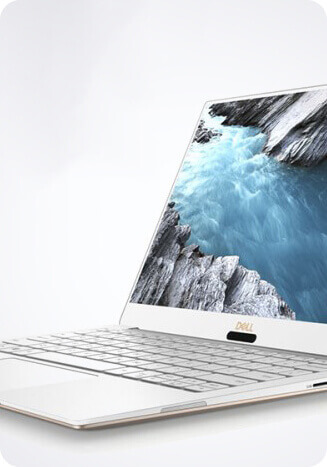
The Dell XPS laptops cater to business users and start at £1,000, with some being able to cost as much as £2,500 depending on the specifications. The Dell Alienware range of laptops is geared towards gaming and starts at £1,200 and can be priced at over £3,000 depending on the specifications.
HP Laptop Prices
The prices for HP laptops are quite reasonable; entry-level options are available starting at about £350. The HP Pavilion series has been a favorite among entry-level buyers due to its price point.
At the mid-range level (approximately £700 – £1,000), the HP Envy series provides a premium look without the price of premium laptops. The HP Spectre x360, which starts around £1,200, is an ultra-thin notebook, perfect for business professionals.
Lenovo Laptop Prices
Value for Money is one of Lenovo’s strengths, and they offer low-priced laptops starting with their IdeaPads, commencing from £250, making them the perfect choice for students. Business professionals use the ThinkPads, which also provide excellent value, with prices of around £700.
For gamers, the Legion series starts at £700 and offers fantastic value compared to other gaming brands.
Apple Laptop Prices
While Apple MacBooks are not cheap by any means, they do tend to be more expensive than the majority of similar products on the market. The MacBook Air (with the M3 chip) begins at £1099 in the UK.
The MacBook Pro starts off at £1299 and can go up to around £3500 and over for the largest 16″ models and the highest spec range. However, despite their high prices, Apple’s build and design quality, performance, and durability speak for themselves.
Asus Laptop Prices
Asus has a broad range of laptops that can fit within nearly any budget. The entry-level option within the Asus range is the Vivo Book, which starts around £300 and is ideal for general purposes.
The Asus ZenBook serves a more targeted audience, namely creative professionals, and the starting price for this line is around £700. Additionally, gaming enthusiasts can look to the Asus ROG (for Republic of Gamers) series of laptops, which starts around £900 and is extremely well regarded by gamers.
Laptop Price Ranges: Budget, Mid-Range, and Premium
Understanding price tiers helps you know what to expect from your laptop:
| Price Tier | Price Range (UK) | Best For | What You Get |
|---|---|---|---|
| Budget | Under £500 | Students, light users | Basic tasks, web browsing, office work |
| Mid-Range | £500 – £900 | Most home & work users | Good performance, better display, longer battery |
| High-End | £900 – £1,500 | Creators, professionals | Fast processor, dedicated GPU, premium build |
| Premium | £1,500+ | Power users, gamers | Best performance, 4K display, top-tier GPU |
Budget Laptops (Under £500)
A budget laptop can be a great buy for someone who wants a dependable computer to do their basic tasks, such as surf the web, watch movies, and work on papers or projects. Generally, budget laptops are equipped with an Intel Core i3 or AMD Ryzen 3 processor, 8GB of RAM, and a Solid State Drive (SSD) that may be between 256GB and 512GB in size. While you won’t find any “super” powerful machines in this price category, they are generally quite capable of performing work-related tasks. Examples of budget laptops include: Lenovo IdeaPad 3, Acer Aspire 5, and HP 15 Laptop.
Mid-Range Laptops (£500 – £900)
Most buyers will do well to buy a mid-range laptop, which combines decent functionality and affordability. Expect a processor such as an Intel i5 or AMD Ryzen 5, 16 gigabytes of RAM, 512 or 1 terabyte of SSD storage, and either a full high-definition or quad-high-definition screen for display quality. A fair number of mid-range laptops come with dedicated graphics cards, which make them suitable for gamers or creative individuals who need to perform light gaming or other creative work on their computer. The following models are among the best sellers in this category: Dell Inspiron 15, HP Envy, and Lenovo IdeaPad 5.
Premium Laptops (£900 – £1,500+)
Premium laptops are amongst the best options available and cater to professionals who need to use their laptops on a daily basis. They provide high-performance processors, spectacular displays, long battery life, and excellent build quality. Examples of premium laptops include the Apple MacBook Air M3, Dell XPS 15, and the Lenovo ThinkPad X1 Carbon. If you’re not constrained by budget, you really can’t go wrong with any of these devices.
Laptop Prices for Students with Laptop Price Ranges
To perform well in their studies, students must have a laptop that is dependable, lightweight, and less expensive; however, the good news is that they don’t have to spend too much on a laptop to meet their needs. These are our top picks for laptops for students at various price points.
| Laptop | Price (UK) | Key Features | Best For |
|---|---|---|---|
| Lenovo IdeaPad 3 | ~£299 | Ryzen 3, 8GB RAM, 256GB SSD | Light budgets |
| Acer Aspire 5 | ~£399 | Ryzen 5, 8GB RAM, 512GB SSD | General studies |
| HP Pavilion 15 | ~£449 | Core i5, 8GB RAM, 512GB SSD | Everyday use |
| Dell Inspiron 15 | ~£549 | Core i5, 16GB RAM, 512GB SSD | More power |
| MacBook Air M1 (refurb) | ~£699 | M1 chip, 8GB RAM, 256GB SSD | Apple fans |
Most students will find a laptop that costs between £350 and £550 to be suitable for everyday use. When shopping for a laptop, look for something with 8GB RAM and an SSD (solid state drive) for speed. This is also very battery efficient, so look for something that can run for 8 hours or more on a single charge, allowing you to comfortably complete a full day of classes/studying at school or home without having it run out of battery power before the end of your class schedule.
Multiple manufacturers/retailers (Apple, Dell, etc.) offer discounts to students (the average discount is 15-20%), so always check on the discounts available to you as a student before making your purchase.
Gaming Laptop Prices Ranges
The cost of gaming laptops is significantly greater than that of conventional laptops because they require specialized CPUs, GPUs, display technology, and thermal management systems to be able to perform well while playing games and running other resource-intensive applications. Depending upon what you wish to do will determine the correct model.
| Gaming Tier | Price Range (UK) | GPU | Popular Models |
|---|---|---|---|
| Entry-Level Gaming | £600 – £900 | NVIDIA RTX 3050 / 4050 | Lenovo IdeaPad Gaming 3, Acer Nitro 5 |
| Mid-Range Gaming | £900 – £1,400 | NVIDIA RTX 4060 | Asus ROG Strix G16, Dell G15 |
| High-End Gaming | £1,400 – £2,000 | NVIDIA RTX 4070 | MSI Raider, Lenovo Legion Pro 5 |
| Premium Gaming | £2,000+ | NVIDIA RTX 4080 / 4090 | Asus ROG Zephyrus, Alienware m18 |
The Lenovo Legion and Asus ROG series consistently offer the best value for gaming laptop prices. If you are new to gaming, the entry-level tier at £600–£900 is a perfectly capable starting point. For competitive gaming at high settings, aim for the mid-range tier with an RTX 4060.
Keep in mind that gaming laptops tend to be heavier (around 2–3 kg) and have shorter battery life due to their powerful hardware. They are best used near a power outlet for serious gaming sessions.
Business Laptop Prices Ranges
A business laptop is designed to meet the demands of a professional. These laptops have durability, so they will work reliably for a longer period of time; they usually contain keyboards with more comfortable keys and have superior security via features such as fingerprints and IR cameras. Manufacturers of these computers often extend warranties on them as well.
| Laptop | Price (UK) | Key Strengths | Best For |
|---|---|---|---|
| Lenovo ThinkPad E14 | ~£699 | Durable, great keyboard, long battery | Budget business users |
| Dell Latitude 5540 | ~£899 | Security features, enterprise support | SMEs & corporates |
| HP EliteBook 840 | ~£999 | Premium build, strong warranty | Corporate professionals |
| Apple MacBook Pro 14" | ~£1,699 | M3 Pro chip, stunning display | Creative professionals |
| Lenovo ThinkPad X1 Carbon | ~£1,299 | Ultralight, top keyboard, durable | Road warriors |
The best option for many professional business users would be either the Lenovo ThinkPad series or the HP EliteBook line. These laptops are designed to withstand everyday work and last longer than regular consumer laptops (or workstations). They also retain their resale value much better than regular consumer products, as well, due to having been built to withstand everyday use.
If your company uses Adobe Creative Suite or other creative software, the MacBook Pro is a good choice because it is more expensive than either of the previous models; however, it offers added value to your company due to being more powerful than both of its competitors.
Tips to Choose the Best Laptop for Your Budget
Here are some practical tips to help you get the most out of your laptop budget:

Know Your Use Case First
Before checking prices, you should consider the use of a laptop first. A student doing school essays will need an entirely different device to support their workflow than someone doing graphic design or someone who plays video games competitively. By selecting a type of laptop that matches what your expected uses are, you should be able to avoid wasting money on unnecessary features.
Don’t underestimate memory
When considering RAM, aim for a minimum of 8GB, since by 2025 at least that much will be required for good multitasking performance. If your budget permits, aim for 16GB so that your laptop can feel fast well into the future.
SSD drives are the best option
Stay away from inexpensive laptops that use traditional HDD drives. SSDs are many times faster than HDDs and dramatically affect the speed and responsiveness of your laptop. Even a low-cost laptop that uses a 256GB SSD is far superior to a similar model that uses a hard disk drive of the same capacity.
Verify battery life before purchasing
Manufacturers often test the battery life of their laptops under ideal conditions, and their numbers may not accurately reflect what real-world users will experience. Before purchasing a laptop, check actual battery life reviews from various sites such as Notebookcheck, Rtings, and Laptop Mag.
Purchase a certified refurbished laptop
Refurbished laptops from such brands as Apple, Dell, and Lenovo provide consumers with 20-40% savings on the purchase price when compared to new laptops and still come with a warranty. Websites such as Laptopgiant, Back Market, and manufacturers’ refurbished stores are excellent places to find refurbished laptops.
Shop at Seasonal Sales
Black Friday, Cyber Monday, Amazon Prime Day, and back-to-school sales are all solid times to purchase laptops. Often, you’ll discover mid- to high-end options available at significant discounts during these promotions.
Compare Laptops’ Specs Point to Point
Don’t settle for purchasing the first laptop that you come across. Utilize any of the retailer comparison websites or special comparison websites to allow you to evaluate two or three selected laptops’ specifications next to one another (you may get better specs for only a small increase in cost).
Where to buy laptops online in the United Kingdom is not difficult if you follow these suggestions. Each of these online retailers provides different types of laptops, including new, refurbished, and budget-friendly options.
Brand Sites
Purchasing a laptop directly from a brand site (Dell, HP, Lenovo, or Apple) gives you access to exclusive configurations, student discounts, and official support for a fully customizable configuration that matches your specs, needs, and budget.
Major Retailers
Below are some of the largest major retailers for purchasing a laptop online:
Amazon UK: Offers a tremendous selection of laptops, as well as a great price (competitive vs other retailers), and products will typically arrive at your doorstep in a few short days.
Curry’s: Great place for going into the physical store for assistance or for inquiring about financing.
John Lewis: Offers amazing customer service as well as fantastic warranties.
Argos: Excellent location for those looking at budget laptops or who would like to purchase laptops to pick up at one of their locations.
Specialist Laptop Retailers
One of the best places to find what type of laptop you want and get expert advice from a retailer that only sells laptops is going to a specialist retailer like Laptopgiant. You will find every type of laptop to suit any budget, from extremely low-cost laptops for under £300 to high-end business and gaming models. Also, Laptop Giant offers a large inventory and competitive pricing. You can get both refurbished laptops and the latest model laptops through Laptopgiant, and easily compare prices and have confidence in your purchase.
Buy one from either:
Laptopgiant Refurbished – A pre-owned laptop with a warranty.
Internal Linking Suggestions
By figuring out how you would be using it, you will then be able to eliminate a number of different laptops to choose from, so you can ultimately decide on one that fits within your price range.
If you happen to be a full-time student, check for student discounts or refurbished units or if the time of year is right, look for seasonal sales in order to save money.
If you are looking for low-cost laptops because you are on a tight budget or from gaming laptop prices that you want to use for your next upgrade, then refer back to this guide before purchasing. When ready to purchase, well-known retailers like Laptopgiant also help with comparing various models so you do not end up spending more than you need to

Add comment