
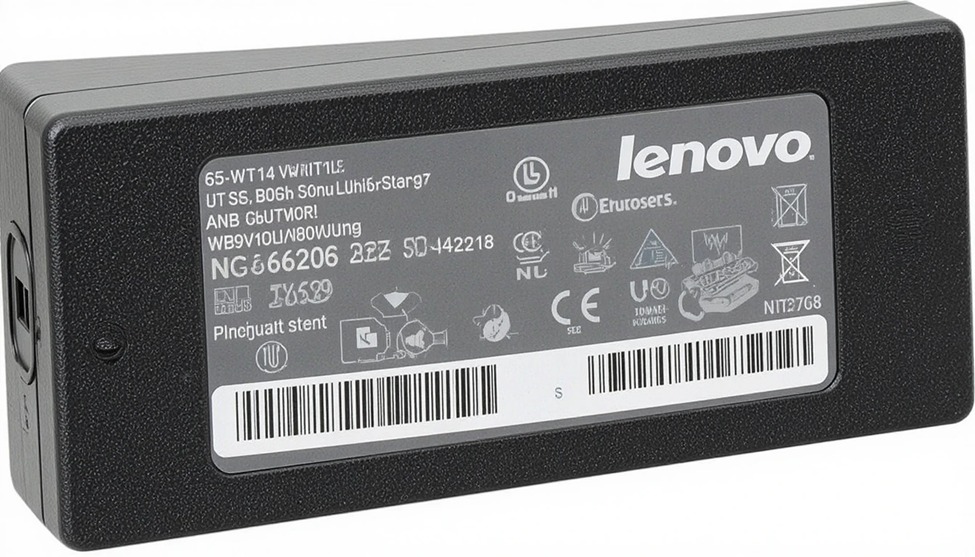
If you have a Lenovo laptop and it is dead, and you also do not have a charger to charge your laptop, you need to find a new charger to connect to your laptop.
You probably have already seen many choices available to buy a charger for a Lenovo laptop, such as how many watts the charger is, what kind of connector fits into your laptop, and which brand of charger to purchase. If you select a charger that does not work with your laptop, then you may end up with a slow-charging laptop with possible harm to the battery.
At LaptopGiant, we sell only the best quality original or compatible Lenovo chargers in the UK. Each product on our site has a complete, detailed description providing you with the information required to make sure that when you order from LaptopGiant, you know exactly what you will receive before receiving it. Please read the rest so that you can get the best value for your money.
What Is a Lenovo Laptop Charger?
A Lenovo laptop charger. A power supply, also called an AC adapter, converts the electrical energy that comes from the wall (known as AC) and converts it to direct current (DC) at the voltage and current levels required by the device being powered (e.g., a laptop computer). There are three key specifications listed on every power supply:
wattage (the amount of power supplied), voltage (the amount of electrical/pressure), and connector type (the type of physical plug that fits in the laptop).
When shopping for Lenovo laptop chargers, you need to know about the different types of connectors used by each model. The most common connector style used with Lenovo laptops is the traditional rectangular, or slim-tip, connector, although newer models utilize both USB-C and Type-C ports. Before ordering a charger for your Lenovo laptop, check to see which connector type is appropriate for the model you have.
Lenovo Charger Price in the UK – What to Expect at LaptopGiant
Lenovo laptop charger prices in the UK vary based on wattage and whether you choose an original or compatible model. Here’s a general price guide based on typical listings at LaptopGiant.
| Charger Type | Approximate UK Price |
|---|---|
| Lenovo 45W Charger | £11 – £20 |
| Lenovo 65W Charger | £13 – £20 |
| Lenovo 90W Charger | £14 – £20 |
| Lenovo USB-C / Type-C Charger | £14 – £25 |
| Compatible Lenovo Chargers | £12 – £25 |
Check LaptopGiant directly for the most current prices and availability, as stock and deals are updated regularly.
Types of Lenovo Laptop Chargers
Lenovo has developed charger models in varying wattages to support all of their different laptop models and usage levels.
Lenovo 45W Adapter
This is the most compact and lightweight charger option for your IdeaPad or slim Lenovo laptop with low power requirements. It’s perfect for those who travel frequently and need a smaller adapter size in their bag.
Lenovo 65W Adapter
The Lenovo 65W charger has become the most commonly used by everyday Lenovo users. It can charge a wide assortment of IdeaPad, ThinkPad E and L series, as well as Yoga models, providing adequate speed while maintaining portability.
Lenovo 90W Adapter
The Lenovo 90-watt charger was designed for the more powerful ThinkPad T and X series laptops, Lenovo Legion laptops, and workstations that use high-end graphics cards. For high-volume users, the 90-watt charger delivers a reliable and substantial amount of power even under heavy use and quickly charges your laptop’s battery when it is very low.
Lenovo USB-C(Type-C) Adapter
Most newer Lenovo laptops (purchased in the last few years) now use the Lenovo USB-C adapter, which is the standard USB-C connector used by most of these devices.
It provides fast-charging capabilities (due to USB Power Delivery technology) and is a universal cable type that can be used among multiple devices, which greatly reduces cable clutter when storing devices.
Original vs Compatible Lenovo Chargers
When buying a replacement, you’ll have two main options:
Original Lenovo chargers. Chargers manufactured to Lenovo’s specifications offer the correct voltage and wattage your laptop requires. All original Lenovo chargers also provision builtin overheat and surge protection. As a result, using an original Lenovo charger will not generate a “charger not recognised” message display on your laptop.
Compatible Lenovo charger. Third parties make the products that are designed to be used with Lenovo laptops. Many of these products are of low quality, but there are some that have UL or CE safety certification from reputable suppliers and will perform well for a lower cost. Caution should be used for any product that requires very cheap Lenovo chargers that carry no safety marks — these cut corners on protection and can cause real damage over time.
At LaptopGiant, every compatible Lenovo charger we stock is quality-checked for safety and performance before it reaches our shelves
How to Choose the Right Lenovo Charger
Not sure which charger you need? Follow these straightforward steps:
Find the wattage on your current charger — it’s printed on the label (e.g., 65W or 90W)
Check your connector type — slim-tip, round barrel, or USB-C
Search by your Lenovo model — use LaptopGiant’s model filter to find confirmed-compatible options
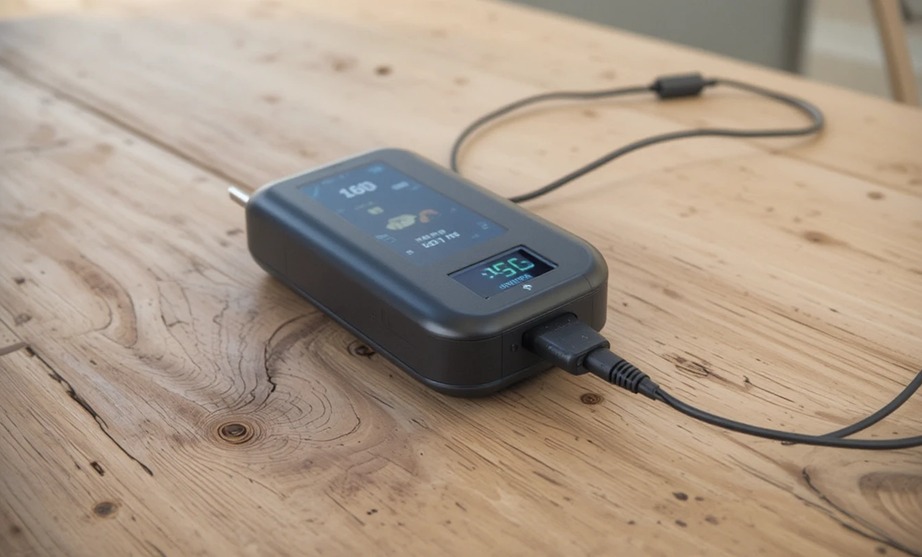
Match or exceed the wattage — never go lower than your original charger’s rating
Look for safety certifications — CE, FCC, or UL marks confirm the charger has been properly tested
Benefits of Using the Original Lenovo Charger
While compatible chargers can do the job, there are clear advantages to going original:
Perfect compatibility — designed specifically for your laptop, no guesswork needed
Battery protection — delivers the exact charge profile your battery is built for, extending its lifespan
Built-in safety features — includes overvoltage, overcurrent, and short-circuit protection
No warning messages — eliminates “unrecognised charger” alerts that some third-party adapters trigger
Warranty safe — using an original charger keeps your Lenovo warranty intact
Common Lenovo Charger Issues
Even a good charger can run into problems. Here are the most frequent issues and what they usually mean:
Slow charging: Often caused by a charger with too low a wattage for your laptop model, or a worn cable. Try matching the wattage of your original adapter before replacing the whole unit.
Overheating: A charger that becomes uncomfortably hot during use may be faulty, uncertified, or blocked from ventilating properly. Stop using it immediately and replace it — overheating chargers are a fire risk.
Compatibility errors: A “charger not recognised” message usually means your laptop’s BIOS can’t identify the adapter. This is common with low-quality third-party chargers. Switching to an original or properly certified compatible model typically resolves this.
Summary
Summary


Add comment