
Introduction: Power Your Dell the Right Way
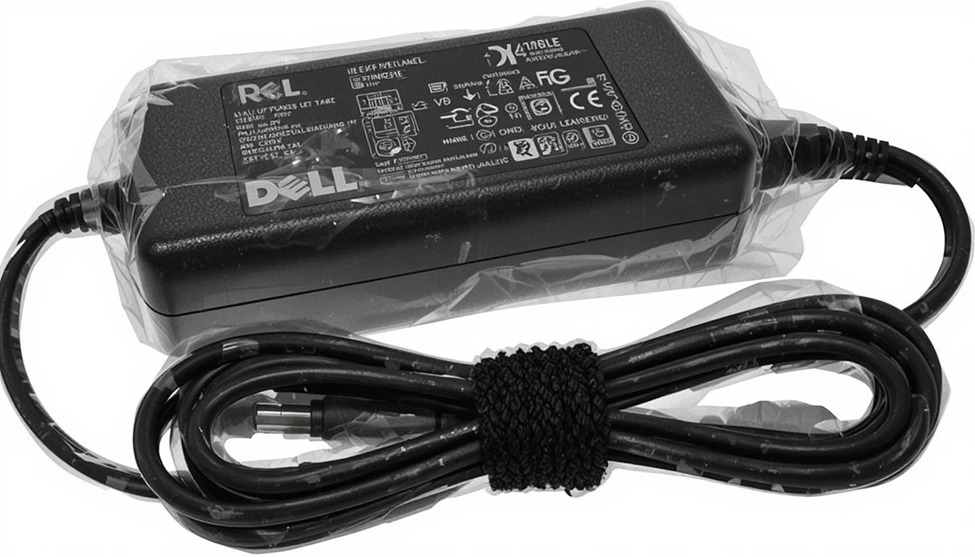
Dell produces a wide range of laptops that are extremely powerful. They have everyday business machines, powerful gaming laptops, and mobile workstations. To utilize all of these capabilities, the hardware in these systems requires large amounts of power. Dell has made an adapter that delivers 130W of power to support the use of their products. This ensures that when you use Dell products, they will operate at full capacity with a proper adapter.130W Dell charger
Using the wrong adapter can cause problems such as overheating, shorten battery life, and prevent the laptop from charging when using the computer for demanding activities. If your Dell product requires 130W of power, you will not be able to properly operate your laptop with an adapter that has less than 130W of power.
Why Your Dell Laptop Needs a 130W Charger
Not every Dell laptop requires a 130W power supply, but for those that do, the wattage is non-negotiable.
High-end Dell laptops such as the XPS 15, Precision 5000 Series, Inspiron 7000 Gaming Series, and some Alienware models are designed to consume a lot of electricity when performing demanding tasks. Using a CPU-intensive app, rendering video, or playing games at maximum settings, the power consumption when the laptop is at full load can exceed 65 or 90 watts, which is the maximum wattage for the Dell power supply used with these laptops.
A Dell laptop charger 130W gives your computer enough energy to perform (like a battery) and recharge (like a battery) at the same time – even within peak operation. If not, you may find that your battery continues to drain while plugged in, or that your system limits its overall performance because it cannot draw enough power when attached.
This is why Dell engineers specify the required wattage for each model, and why straying from that specification causes real, measurable problems.
What to Look for in a 130W Dell Charger
Whether you’re purchasing an original Dell charger 130W or a certified compatible replacement, there are a few key features worth understanding.
Power Output and Stability
A genuine Dell power adapter, 130 watts, is designed to provide a consistent power supply over extended sessions. The higher output design will also allow for much better current regulation, protecting the battery as well as preventing damage to other internal components due to the irregular voltage spikes normally seen due to the application of a high load on the adapter.
Connector Compatibility
Most of the Dell brand of larger wattage laptops use a barrel connection system. When using multiple connectors, make sure that both the tip diameter and the polarity for each connector match the specifications of the current adapter. Be sure to double-check your model’s specifications and ensure that they coincide with your existing adapter before making a purchase.
Safety Certifications
All authentic Dell chargers have gone through reputable certification, i.e., CE certification and UL certification. These certifications are an important consideration to take note of when purchasing a compatible replacement Dell laptop charger. Substandard high-wattage Dell chargers will put you at serious risk of overheating, short-circuiting, or incorrect battery recharge (long-term).
Build Quality and Cable Length
The DELL AC adapter in the 130W range is usually heavier than other chargers, as well as having a thicker cable that is designed to be used with higher voltage/current loads. Because the wire on a charger must carry a greater amount of current, it must be built with heavier wires that are capable of handling these loads safely. Quality constructions have reinforced strain relief at both ends of the connector, where a charger fails most frequently.
Common Dell Laptop Charging Issues and How to Resolve Them
Dell laptop charging issues at the 130W level often have straightforward causes. Knowing what to look for saves time and unnecessary expense.
If you are having trouble charging your battery with your laptop using AC power, the first thing to check is if the wattage of your adapter is correct. Sometimes a lower-wattage Dell AC adapter will allow the laptop to be powered while it is not in use but will not charge while the processor or GPU is being used. Switching to an appropriate 130W adapter should fix the problem immediately.
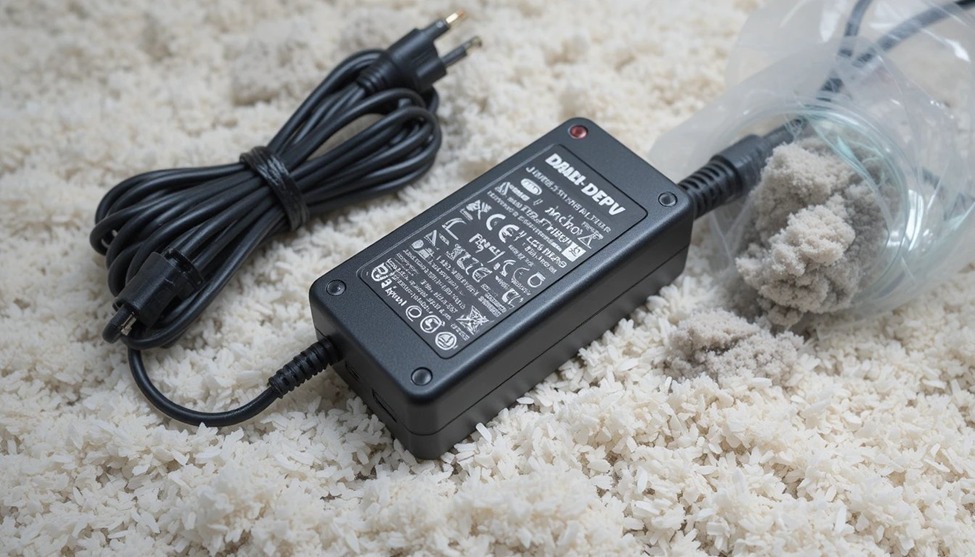
Another common issue is overheating in the power brick. While it is normal for the power brick to get warm while it is actively powering your device, too much heat can indicate that the adapter has a failure or that there are problems with air circulation around it. Do not place power bricks on carpets, under cushions or in any enclosed area while they are in use.
If your computer displays the message “Plugged in but not charging,” please use the Dell Diagnostic Utilities program to determine if you need to perform a BIOS upgrade. This is important because Dell continues to develop and release BIOS firmware updates that resolve any issues related to power management. Frequently, an outdated BIOS will not recognize a properly sized adapter – even though the hardware is functioning properly – which will result in less-than-optimal performance.
Before charging your laptop for intermittent use, always examine both the power connector and cable. Micro-cracks located near the tip or connector end can cause connection loss as it moves with the laptop. Micro-cracks aren’t always visible and are a major reason why Dell laptops sometimes won’t charge properly.
Tips for Keeping Your 130W Dell Charger in Good Condition
A high-wattage adapter is an investment, and a few simple habits extend its working life considerably.
Avoid wrapping the cable tightly around the adapter brick for storage. This stresses the cable internally over time, particularly near the connectors. Instead, coil it loosely and secure it gently.
Give your adapter room to breathe. The Dell power adapter 130 watts generates more heat than lower-wattage units by design. Keeping it on a hard surface during use and away from direct sunlight prevents thermal stress from building up.
Unplug from the wall during thunderstorms or extended periods of non-use. Surge events are one of the fastest ways to damage an adapter permanently, and even quality surge protectors have limits under a direct hit.
If you travel frequently, consider a dedicated travel unit rather than repeatedly packing and unpacking your primary charger. The connector and cable endure the most stress at connection points, and reducing handling frequency preserves the integrity of those areas longer.
Finally, purchase replacements only from authorised Dell resellers or sellers who can confirm certification. A 130W Dell charger that costs a fraction of the genuine price is rarely a safe bargain — the cost tends to appear later, in battery replacements or motherboard repairs.


Add comment