
Top Picks Laptop and Docking Station Combos for Dual Monitor Setups
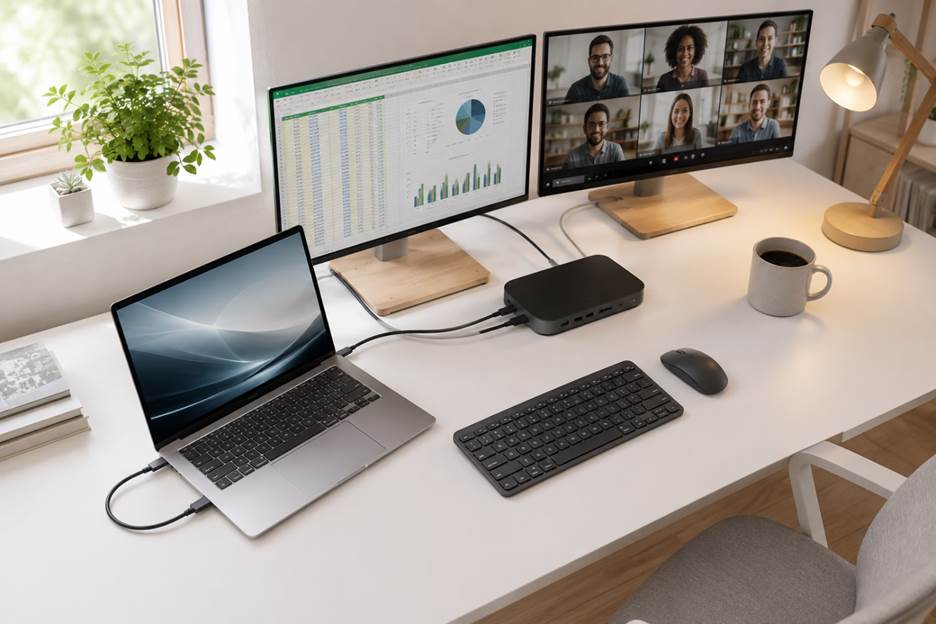
Working from a single laptop screen gets old fast, especially once you’re juggling spreadsheets, emails, and video calls at the same time. The fix is simpler than most people think: pair the right laptop and docking station together and you’ve got a proper desktop setup in seconds, one cable, no fuss.
Laptop and Docking Station
Whether you’re working from home, hot-desking in the office, or just tired of plugging in five separate cables every morning, a good docking station and laptop combo is one of the best upgrades you can make. Here at LaptopGiant, we’re asked almost daily which laptop pairs best with which dock, so we’ve put together our top five combinations below, with a focus on dual monitor docking station support for anyone running two screens.
Why Pairing Your Laptop and Dock Properly Matters
Not every laptop and docking station pairing performs the same way. Port type, power delivery, and display output all need to line up, or you’ll end up with flickering monitors, slow charging, or a dock that simply won’t push a second screen at full resolution. Getting the pairing right the first time saves you the hassle of returns and swapped cables later, which is exactly why our LaptopGiant team tests these combinations before recommending them.
1. HP Laptop + Dell WD19 Docking Station
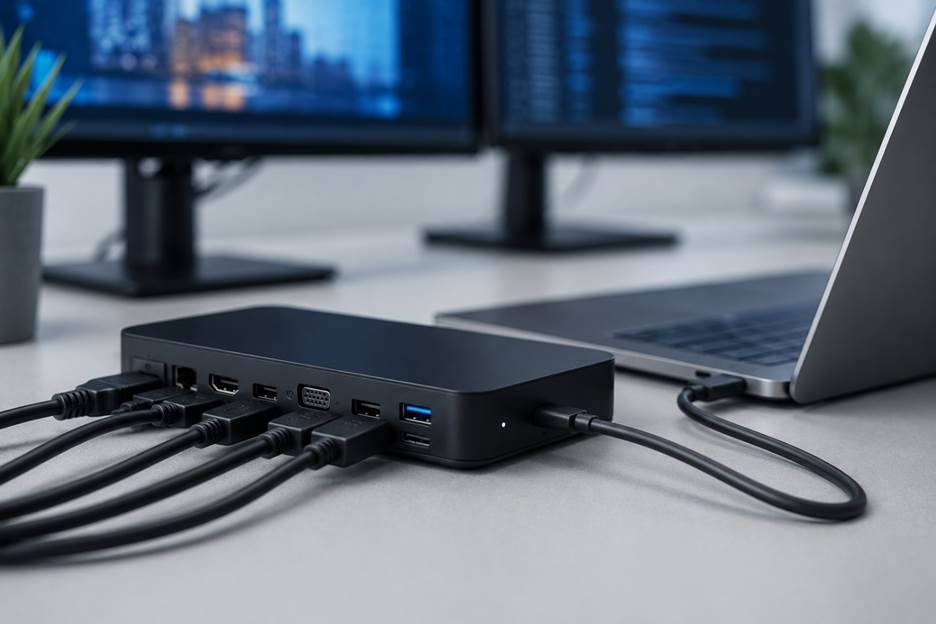
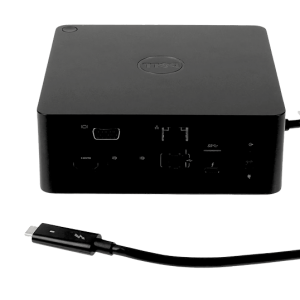
The Dell WD19 is one of the most popular all-round docks we sell at LaptopGiant, and it works just as well with an HP laptop as it does with a Dell. It delivers up to 130W through a single USB-C cable, with 90W of that going straight to charging your laptop, plus HDMI and DisplayPort outputs for dual monitor support. It’s a genuinely solid example of an hp laptop and docking station pairing that just works, without needing extra adapters or drivers.
2. Everyday Laptop + Dell WD19S Docking Station
Similar in spirit to the WD19, the WD19S adds a touch more refinement for anyone setting up a proper dual monitor workstation. With 130W total power and 90W power delivery to the laptop, it’s built for all-day reliability. It’s one of the combinations our LaptopGiant customers come back to time and again for a straightforward laptop docking station and dual monitors setup that doesn’t fuss about.
3. Business Laptop + Dell WD19DC Docking Station
If your laptop draws more power, the WD19DC is the smarter choice. This Performance Dock uses a dual USB-C connector to deliver up to 210W of power, meaning demanding business laptops and mobile workstations can charge fully through the dock alone, no separate charger needed. It’s an excellent pick for anyone who wants their docking station and laptop to feel like one seamless piece of kit.
4. Mobile Workstation + Dell WD19DCS Docking Station
The WD19DCS shares the same Performance Dock DNA as the WD19DC, with up to 210W power delivery through its dual USB-C connector. It’s particularly well suited to heavier laptops that run demanding software day to day, giving you full charging and dual monitor output from a single dock on your desk.
5. Any Laptop Brand + Dell D6000 Docking Station
For mixed-laptop offices or households, the D6000 is the most flexible option on this list. As a universal dock using Display Link technology, it works over both USB-A and USB-C, meaning it isn’t fussy about brand, and supports up to three 4K displays. It’s the closest thing to a one-dock-fits-all solution, and a favourite for shared workspaces where not everyone is using the same laptop.
If you’re still narrowing things down, our full range makes it easy to browse the best laptop and docking station combinations by brand, port count, and monitor support.
FAQ
Do I need Thunderbolt for a dual monitor docking station?
Not always. Docks like the Dell WD19 and WD19S run over standard USB-C and still support dual monitors, no Thunderbolt required. Thunderbolt docks simply offer more headroom for higher resolutions and faster data transfer.
Will a docking station charge my laptop?
Most modern docks support USB-C Power Delivery. Just make sure the dock’s wattage matches or exceeds your laptop’s original charger to avoid slow charging.
Can I use one docking station with different laptop brands?
Yes, most USB-C and Thunderbolt docks are cross-platform and work with HP, Dell, Lenovo, and other major brands, though it’s always worth checking your laptop’s exact port type first.
Is a docking station worth it for students?
Definitely, especially for anyone juggling coursework, research tabs, and video calls. A dock turns a single laptop screen into a full multi-monitor workspace for a fraction of the hassle.
How do I know which dock will work with my laptop?
Check your laptop’s port type first, USB-C, Thunderbolt 3, 4, or 5, and compare it against the dock’s supported connections. If you’re ever unsure, the LaptopGiant team is happy to point you toward a compatible pairing before you buy.
Why Buy Your Setup From LaptopGiant
Every laptop we sell at LaptopGiant comes with full manufacturer warranty cover, so you’re protected from day one. We also offer fast UK delivery on all our laptops and accessories, meaning your new dual monitor workspace can be up and running in no time, not weeks. Browse our full range of laptops and docking stations today to find the combination that fits your workflow best.



Add comment