
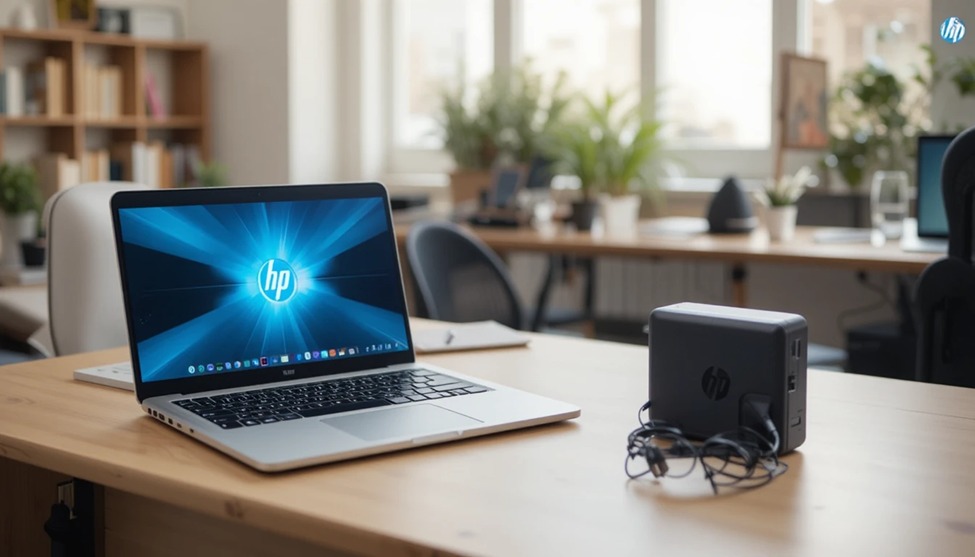
HP’s known for making computers people can rely on. So, if you’re a student, work from home, or do creative work, picking out the right HP laptop and charger is key. Getting a super cool laptop is pointless if the charger isn’t up to par–it’s like having a car without gas.
I’ll give you the lowdown on HP laptops and chargers, like how to pick one out, if they work together, and what to do if you need a new one.
Why HP Laptops Remain a Top Choice in 2026
HP has been a well-known brand when it comes to computers. They have laptops for every kind of person, whether you’re on a tight budget or if you’re looking for a powerful gaming laptop, such as their OMEN line. But here’s why they’re so popular among consumers:
Plenty of options for any budget and intended use.
Durable products.
Good after-sales service if something goes wrong, and they’re everywhere.
Interoperability with other products.
So, if you’re looking for a small laptop for traveling or a tough one for a lot of work, they probably have something for you.
Popular HP Laptop Series: Which One Is Right for You?
HP has a bunch of different laptop lines, each for a specific kind of user. Knowing the differences can save you time and money.
HP Pavilion. HP Pavilion. This is their go-to, most liked series for everyday use, great for students and people using laptops at home. It’s a nice mix of good performance at a fair price.
HP Envy. These are for pros and creative types who want something that looks high-end. They pack great screens and plenty of power, but they aren’t crazy expensive.
HP Spectre. This is HP’s fanciest line. They’re super thin, have beautiful screens, and have the best specs for people who need serious power.
HP OMEN. These are made for gaming. They’ve got fast screens, good graphics cards, and cooling systems to keep things from overheating.
HP EliteBook: These are business-class laptops made tough for work; they’re built tough and have security features.
Your HP Laptop Charger: What to think about
Your HP Laptop Charger is not just for recharging but for keeping your device alive. Using the wrong one can cause problems for your battery, how your laptop functions, or even make your device a menace. Here is all you need to know:
Wattage Counts
HP laptops and Chargers vary in wattage, from 45W to 65W, 90W, and even 120W and above. You can only use a Laptop Charger whose wattage is as high as or even higher than that required by your laptop. You can mess up your Laptop Battery or even cause your laptop to run slowly or even not charge at all if you use a low-wattage Charger for a powerful Laptop.
Connector Types
Older HP Laptops use a round-type Charger, also known as a 4.5mm x 3.0mm or 7.4mm Barrel Pin Charger. Recent HP Laptops are using a USB-C Charger. However, you should check your Laptop’s Charger Port before you buy a Charger.
Voltage and Amperage
Most HP Laptop Chargers produce 19.5V. Amperage is determined by the Wattage of a Charger. To keep things safe and in good working condition, you should use a Charger whose voltage is exactly indicated on the bottom of your laptop or in the manual.
How to Choose the Right Replacement HP Charger
It’s really common to misplace or damage your HP laptop charger. If you need to get a replacement charger, here’s what you should do:
Identify your laptop’s model number (usually found on a sticker at the underside).
Check how many watts your old charger was or consult your laptop’s manual.
Determine if you need a barrel or USB-C type charger.
Buy a charger from HP or any store you know to be safe and come with a warranty.
Avoid buying cheap chargers from unknown sources; they may damage your battery.
If you’re unsure, you can try searching for accessories on HP’s website with your laptop’s model or serial number.
HP Laptop Battery Life: Making It Last
A good HP laptop and charger will not be complete without a good battery. Here’s how you can make your battery last longer:
Enable HP Battery Care in the HP Support Assistant to manage the battery’s charging.
Try not to always charge to 100%. Keep it between 20% and 80% for a longer life.
Use Power Saver mode when you’re just browsing or typing.
Turn down your screen brightness to save power.
Keep your laptop from getting too hot; heat is bad for the battery.
Original vs. Third-Party HP Chargers: What You Should Know
For instance, most HP laptop owners have been concerned about whether to buy an HP charger or one that is not branded by HP but is at a lower price. Okay, here is the lowdown:
HP Chargers (Original)
These are guaranteed to be compatible with your laptop.
These have safety features to prevent your laptop circuits from burning out due to excessive voltage.
These are guaranteed to keep your laptop warranty valid.
Off-Brand Chargers
These are generally cheaper, but one problem—quality varies.
These may void your warranty if something goes wrong with your laptop.
Make sure it has a safety stamp before buying one.
Investing in the Right HP Laptop and Charger with Laptop Giant
Your laptop plays a big part in getting things done, creating, and living life in general. So, it’s worth understanding what you need, looking at various models, and getting a good charger to go along with it. Whether you’re buying your first HP or just replacing an old one, this advice from LaptopGiant should come in handy for you.
P.S. A well-maintained HP laptop and a good charger can easily last you five years or more. Make the most of it by charging it the right way, using the right accessories, and keeping your software up to date for the best performance.
If this has been helpful to you, please share it with anyone else who might need a laptop and save them some cash and hassle! Laptopgiant


Add comment