
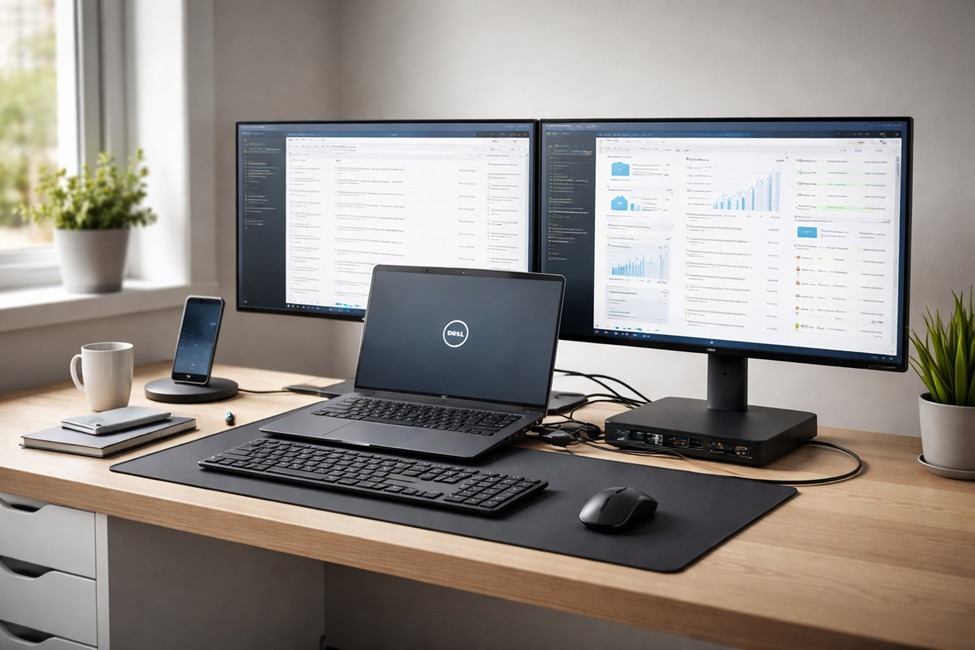
If you use a Dell laptop for work or personal use, you already know how limited the ports can feel. You want to connect a monitor, keyboard, mouse, and maybe even charge your phone — all at the same time. That’s exactly where Dell compatible docking stations come in. They turn your laptop into a full desktop setup with just one cable.
At LaptopGiant, we get a lot of questions about which docking station works best with Dell laptops. So we put together this simple guide to help you make the right choice.
What is a docking station?
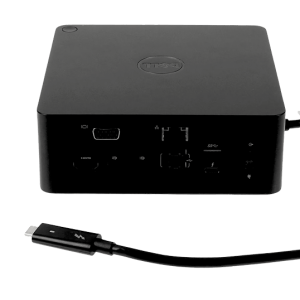
A docking station is a device that connects to your laptop and gives you access to multiple ports USB, HDMI, DisplayPort, Ethernet, SD card, and more. Instead of plugging and unplugging cables every time you sit down, you just connect one cable to your dock. Everything else is already connected and ready to go.
Dell compatible docking stations are made to work smoothly with Dell laptops. Some are made directly by Dell, and others are made by third-party brands like Anker, CalDigit, and Plugable. Both options can work well depending on your needs and budget.
Why choose a Dell compatible docking station?
A good docking station saves time, reduces cable clutter, and makes your workspace look clean and professional. If you work from home or switch between a desk and meetings often, it’s one of the best upgrades you can make.
Here are a few reasons why people love them:
Connect multiple monitors easily
Charge your laptop while docked (with USB-C Power Delivery)
Use wired internet for a faster, more stable connection
Access SD cards, USB drives, and audio jacks without adapters
One cable setup and teardown — very fast
Types of Dell compatible docking stations
1USB-C / Thunderbolt docks
These are the most popular right now. They connect through your laptop’s USB-C or Thunderbolt port and can carry data, video, and power all in one cable. Most modern Dell laptops, including the XPS and Latitude series, support this type.
USB-A docks
Older laptops without USB-C ports can use USB-A docking stations. They offer fewer features but still let you expand your ports significantly. These are usually cheaper too.
Dell proprietary docks
Dell also makes its own docking stations, like the Dell WD19 and WD22 series. These are designed specifically for Dell business laptops and offer the most reliable compatibility. If you’re using a Dell Latitude, Precision, or Vostro, these might be the safest choice.
Things to check before buying
Not every Dell compatible docking station works with every Dell laptop. Before you buy, check these things:
Port type: Does your laptop have USB-C or Thunderbolt? Make sure the dock matches.
Power output: If you want to charge through the dock, check the watt rating. 65W or higher is usually enough for most laptops.
Monitor support: How many monitors do you want to connect? Check the dock’s display outputs.
Driver support: Some docks need software drivers. Dell’s own docks usually install drivers automatically on Windows.
Our top picks at LaptopGiant
We carry a wide range of Dell compatible docking stations at LaptopGiant, from budget-friendly options to high-end multi-monitor setups. Whether you’re a student, a freelancer, or a business professional, we have something that fits your needs and your wallet.
Some of our best-selling models include USB-C hubs with 4K HDMI support, Thunderbolt 4 docks for power users, and Dell’s own WD19 series for enterprise use.
A Dell compatible docking station is a smart investment if you use your laptop as your main computer. It makes your setup more comfortable, more organized, and more productive. You don’t need to be a tech expert to use one — just plug it in and you’re good to go.
Visit LaptopGiant to browse our full collection and find the perfect dock for your Dell laptop today. If you’re not sure which one to pick, our team is happy to help you choose the right fit.

Add comment