
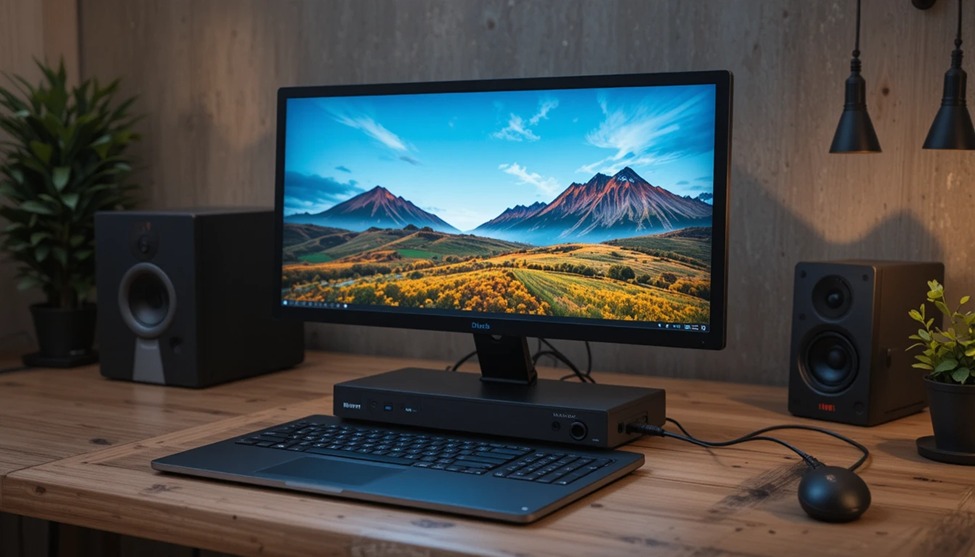
There is a moment that most computer users will inevitably come to – the moment that one screen just isn’t enough. Maybe it’s the constant switching between a spreadsheet and the web browser. Maybe it’s the constant need to reference documents while working on another. Or maybe it’s the simple fact that your email needs to be visible without consuming your main screen. Whatever the case may be, the solution is always the same – the use of a dual screen docking station for your laptop computer.
A good solution doesn’t just provide more screen space. A good solution changes the way that you work. With the addition of a full-size keyboard, a mouse, and an ergonomic chair, your laptop computer is no longer just a portable computer – it’s a full-fledged desktop computer. This article will be a guide to the ins and outs of choosing the right solution for your needs.
What Is a Dual Screen Docking Station and Why Should You Care?
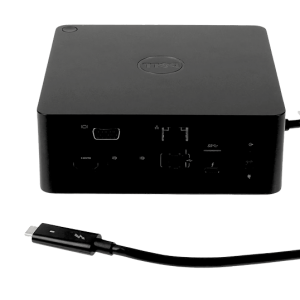
A dual screen laptop docking station is a device that plugs into your computer, usually through a single USB-C or Thunderbolt cable, and expands your output to two screens at once, as well as other peripherals like a keyboard, mouse, Ethernet, audio, and storage devices. Plug it in, and your entire computer comes to life.
The productivity benefits of a dual screen docking station laptop setup are obvious. Working across a laptop dual monitor setup can save you time by reducing window switching, allow you to keep reference materials visible without taking your eyes Dual-screenoff your main work, and save your brain a lot of switching effort when you’re dealing with complicated work. For those running a home office computer setup, a remote worker, or anyone running a business computer setup, a dual monitor laptop docking station is one of the most important upgrades you can make.
USB-C and Thunderbolt: Getting the Connection Right
Most modern dual monitor laptop docks feature USB-C or Thunderbolt 3 or 4 connectivity. A high-quality USB-C dual monitor laptop dock can deliver high-quality video to two displays in full HD or 4K resolutions, charge your laptop simultaneously, and facilitate data transfer for your devices through a single port. The only drawback is that not all USB-C ports are able to deliver high-quality video output. Therefore, you should refer to your laptop’s specifications before purchasing a USB-C dual monitor laptop dock.
If your laptop has a Thunderbolt port, you can identify it with a small lightning bolt icon on your port. This is the most powerful base for your dual monitor display. With Thunderbolt’s high-bandwidth capabilities, you can connect your dual monitor display to your laptop without compromising on other resources. USB-C with DisplayPort Alt Mode is also a good option for you to set up your dual monitor display on your laptop. Just ensure that your chosen laptop dock is confirmed to be compatible with your device. dual screen docking station laptop
The Work from Home Case Why Docking Stations Took Off
The increased adoption of remote and hybrid work arrangements made the laptop productivity docking station for work-from-home arrangements one of the fastest-growing types of laptop accessories in the last few years, and it is easy to see why. Nobody wants to get to their home office desk and have it take ten minutes of plugging in cables and connecting devices just to get up and running and productive for the day.
A good quality laptop productivity docking station for work-from-home arrangements will do the job for you. Plug it in, and suddenly your two screens are on, your devices are plugged in, your Ethernet is up, and your laptop is charging. Unplug it when you leave, and it’s all over. It’s a seamless solution that takes just seconds, and for people who need to travel between home and office environments, it’s a necessary solution, not a luxury.
Key Specs to Check in a Multi-Screen Docking Station for a Laptop
The process of shopping for a multi-screen laptop docking station is an easy one if you understand the numbers. First and foremost, the display output should be taken into consideration. It should support the resolutions of the displays you want to use with the laptop. Most people will need two HDMI or DisplayPort outputs at 1080p or 1440p resolutions. If you work in video production or a related field, a docking station with support for 4k resolutions on both displays would be necessary.
The next consideration should be the power output of the docking station. A business laptop docking station should have a power output of at least 60W of power to the laptop through the connection. If the laptop is a 15-inch or larger screen, a power output of at least 90W or more would be necessary for a dual screen docking station laptop. A variety of USB ports, including USB-A and USB-C ports, an SD card reader, and a 3.5mm audio port would complete a good universal laptop docking station. If mobility is a concern, a portable dual-screen laptop dock in a slim and light form factor means the dual-monitor experience goes with you wherever you go without weighing you down.
Setting Up Your Dual Monitor Workspace Properly
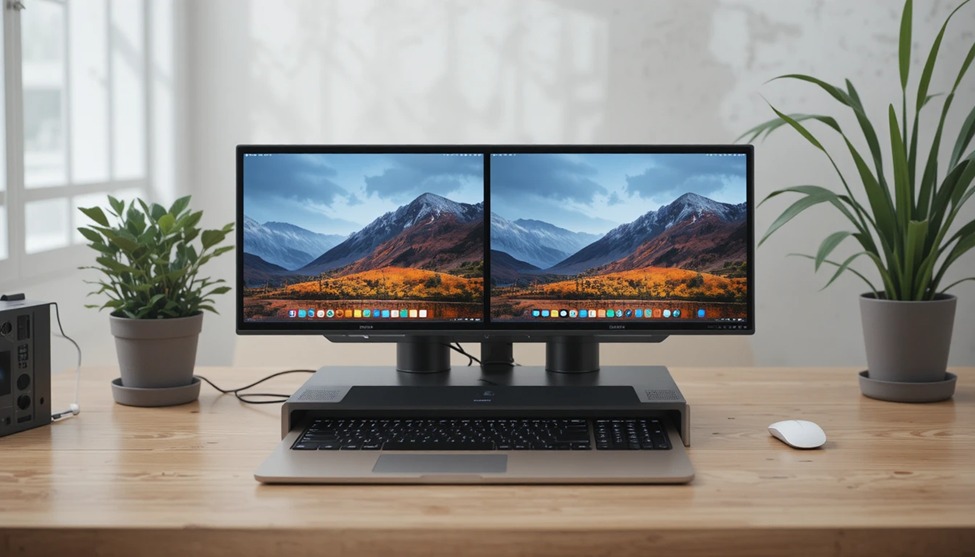
However, hardware is just one part of the equation. After you have your dual monitor USB-C hub for your laptop set up and connected, the positioning of your hardware is important. Position your main monitor directly in front of you and level with your eyes. Position your second monitor to the side of your main monitor, tilted slightly so that your eyes move from one monitor to the other without having to contort your neck.
In terms of your operating system, both Windows and Mac operating systems allow for individual settings for each monitor’s resolution, scale, and arrangement. Taking five minutes of your time to adjust your display settings after you have your USB-C hub for your laptop set up will pay dividends for your comfort in the long run. Name your displays, set your taskbar settings, and set up your displays according to where they are physically set up on your desktop.
Finding the Right Dock Where LaptopGiant Helps
The sheer number of options available, ranging from different prices and types of connections, means that finding a quality dual display docking station for a laptop that meets your specific needs requires a little research. This is where LaptopGiant can help, with a carefully selected range of laptop external display docks, from simple USB home office hubs to high-end Thunderbolt solutions for professionals. Information on each product is provided, including compatibility, power delivery, and a breakdown of the types and number of ports, so you can make an informed decision about exactly what you are getting.
From building a new laptop dual screen system for the first time to replacing an old system with a new dock that cannot keep up with the demands of a busy professional, the range at LaptopGiant is designed to meet real-world needs at affordable prices.
The Bottom Line
A dual-screen docking station for your laptop is one of those products that justifies its cost by making up for it within a short time. The time it saves by switching between different applications, the comfort it offers by arranging your workspace correctly, and the concentration it enables by having everything at a single glance are enough to make your workday significantly better. The right dock, coupled with proper setup, turns your laptop into a center of operations that is designed by your needs rather than by the size of a single screen.

Add comment